
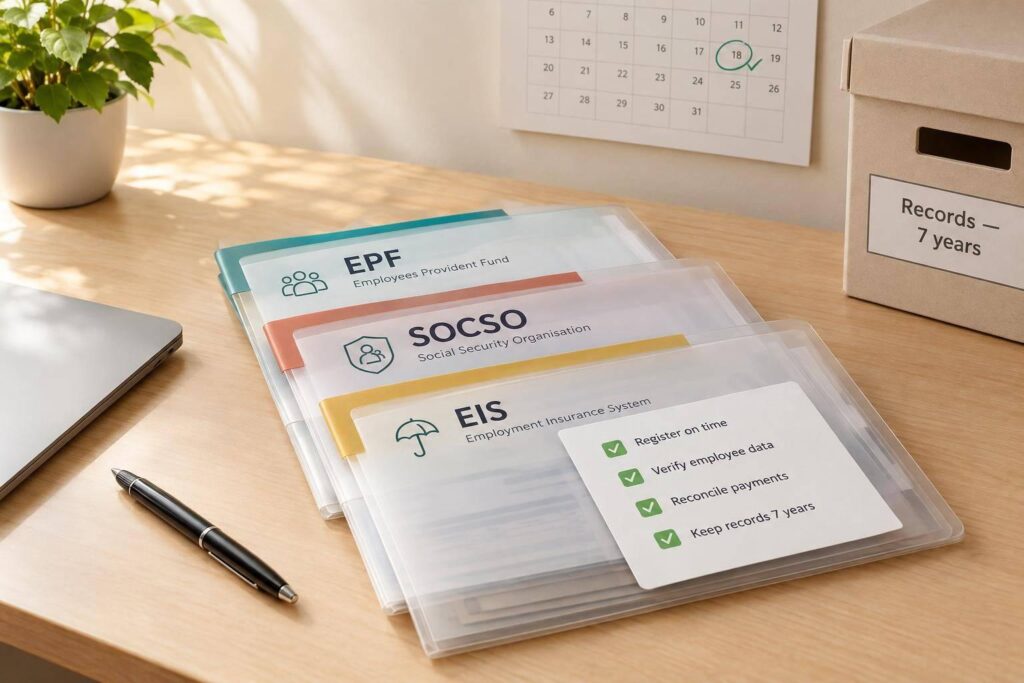

My first payroll rule: check coverage, register on time and confirm payment – not just submission. EPF, SOCSO and EIS contributions are generally due by the 15th of the following month, but registration has separate deadlines.
I’d focus on five checks before closing each payroll cycle:
- Worker coverage: Check each scheme separately. Calling someone a contractor does not decide whether they need coverage.
- Employee details: Verify identification, employment terms and membership records before processing payroll.
- Contribution settings: Use current schedules and check which pay components count as wages. SOCSO and EIS have a RM6,000 monthly wage ceiling.
- Submission and payment: Assign owners, check portal results and resolve rejected records or shortfalls promptly.
- Records and access: Keep calculations, approvals and payment proof securely for at least 7 years.
My takeaway? <u>Payroll approval is not proof of payment.</u> Whether you handle payroll yourself or use payroll processing services, the employer remains responsible for getting it right.
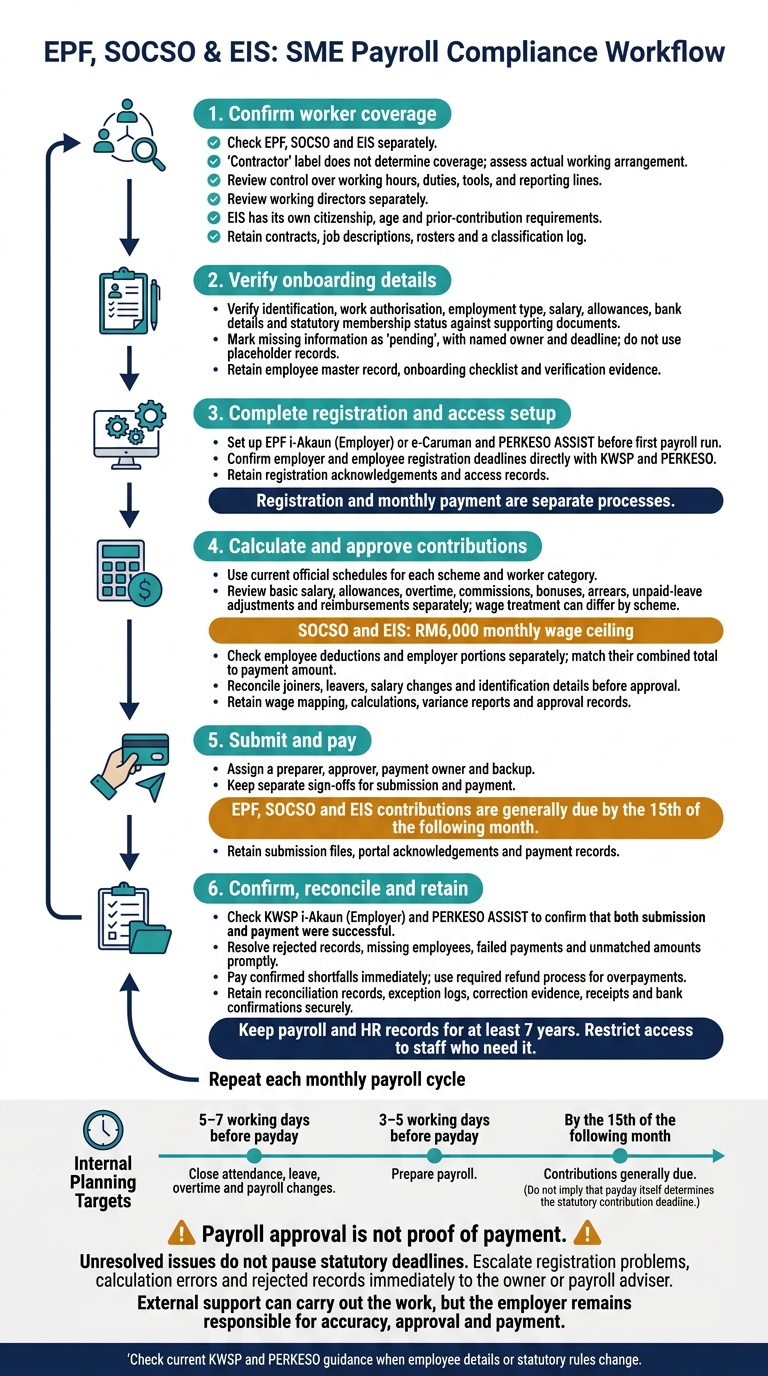
EPF, SOCSO & EIS: SME Payroll Compliance Workflow
Worker Classification and Onboarding Errors
Check Which Workers Need Coverage
Mistake: Excluding workers because they are called “contractors”, probationers or casual staff. The job title isn’t enough; assess how the working arrangement works in practice.
Risk: Missed registration, unpaid contributions and gaps in employee protection. PERKESO requires temporary and part-time employees to be registered.
Fix: Check who controls working hours, duties, tools and reporting lines. Review working directors separately, as share ownership alone doesn’t decide coverage.
Check each scheme separately. EPF, SOCSO and EIS have different rules. EIS also has its own citizenship, age and prior-contribution requirements.
Keep the contract, job description, roster and a classification log explaining how each scheme applies. Refer unclear cases to KWSP, PERKESO or a qualified adviser before finalising payroll. Many SMEs choose payroll outsourcing in Malaysia to handle these complex classifications.
Once you’ve confirmed coverage, check the onboarding data.
Collect and Verify Employee Details
Contribution records for covered employees can still be rejected if their details are wrong.
Mistake: Creating payroll records from incomplete forms or chat messages without checking documents.
Risk: Wrong deductions, late submissions and rejected contribution records.
Fix: Use one onboarding checklist covering work authorisation, employment type, salary, allowances, bank details and statutory membership status.
Check the form against identification documents, the signed contract, work authorisation and bank records. Keep employee declarations and a verification log.
Mark missing information as pending, with a named owner and a deadline. Don’t create placeholder records or relabel a worker as a contractor just to process payroll. Refer unresolved questions to the relevant authority or a qualified adviser, and record the advice received.
sbb-itb-ba278e7
Practical Tips For HR in Handling EPF SOCSO & EIS
Registration and Contribution Setup Errors
Once worker coverage and onboarding data are confirmed, move straight to registration and contribution setup to ensure payroll compliance.
Meet Employer and Employee Registration Deadlines
Set up EPF i-Akaun (Employer) or e-Caruman and PERKESO ASSIST before the first payroll run. Check employer records and employee data before submission. Missing employer numbers or inactive access can delay the entire contribution file.
Registration and monthly payment are separate processes. Don’t treat the payment deadline as the registration deadline. Confirm the employer and employee registration deadlines directly with KWSP and PERKESO, and keep registration acknowledgements on file before submitting contributions.
Apply Each Scheme’s Contribution Rules
- EPF – KWSP: Use the current statutory schedule for the employee’s nationality, age and worker category, including the applicable rules for non-Malaysian employees.
- SOCSO – PERKESO: Confirm coverage under the Social Security laws, then apply the relevant wage and contribution schedule.
- EIS – PERKESO: Check citizenship, age and contribution-history requirements before applying the EIS schedule.
Check the latest official tables before any major payroll change. An old payroll setup is not proof that the settings are approved.
Check Wage Components and Contribution Totals
Review each pay component separately: basic salary, allowances, overtime, commissions, bonuses, arrears, unpaid-leave adjustments and reimbursements. Check how each scheme defines wages before configuring payroll or considering payroll outsourcing. SOCSO and EIS use a wage ceiling of RM6,000; outdated settings can lead to incorrect contributions.
Check employee deductions and employer portions separately, then match the combined total to the payment amount. Resolve any differences rather than rounding them away. Keep the wage mapping, calculations and approval record.
Before approval, reconcile joiners, leavers, salary changes and ID details against the submission file.
Late Payments and Missing Records
Once payroll starts, the main risks are missed deadlines, rejected submissions and gaps in your audit trail.
Pay by the 15th of the Following Month
From your first payroll cycle, EPF, SOCSO and EIS contributions are generally due by the 15th of the following month. Late payments bring charges, not just reminders.
KWSP may impose compounded interest and late payment penalties. PERKESO charges interest on late SOCSO and EIS contributions, and unpaid SOCSO contributions can lead to court action. Set a fixed approval chain for every monthly payroll run to help prevent delays.
Confirm Payments and Fix Rejected Records
Assign a preparer, approver, payment owner and backup. Check KWSP i-Akaun (Employer) and PERKESO ASSIST to confirm that both submission and payment were successful.
Correct missing employees, rejected records and amount mismatches through the relevant correction process. Pay any confirmed shortfall immediately to limit further late-payment interest. If you have overpaid, submit the required refund claim to KWSP or PERKESO.
Keep Payroll Records and Protect Employee Data
Store payroll calculations, contribution submissions, receipts, bank confirmations, approvals and correction notes in monthly folders. Give access only to staff who need it.
Keep payroll and HR records for at least 7 years, and attach supporting evidence to every correction.
Payroll Compliance Checklist From Month 1
Set Deadlines, Owners and Required Records
Put first-month checks into a fixed workflow: classify, verify, approve, submit and reconcile. Before the first employee starts, create a simple responsibility matrix with separate sign-offs for registration, calculation, approval, submission and payment. Approving payroll does not prove that payment has been made.
Once classification and setup are complete, use these checks as your monthly routine.
| Timing | Owner | Action | Records retained | Escalation point |
|---|---|---|---|---|
| Before first hire | Owner/HR | Confirm coverage, registrations, portal access and approval limits | Registration confirmations, access records, responsibility matrix | Registration or access unresolved before start date |
| Onboarding | HR/payroll preparer | Complete the onboarding checklist and file supporting records | Employee master record, onboarding checklist, supporting documents | Missing or inconsistent employee information |
| Payroll approval | Reviewer/owner | Approve checked calculations and employee changes | Payroll register, variance report, sign-off | Calculation error or unapproved change |
| Monthly submission | Payroll preparer/finance | Submit contribution data and arrange payment | Submission files, portal acknowledgements, payment records | Missing registration, portal failure or rejected file |
| Post-payment | Finance reviewer | Sign off reconciliation | Reconciliation, exception log | Failed payment, underpayment or unmatched amount |
Close attendance, leave, overtime and payroll changes 5–7 working days before payday. Prepare payroll 3–5 working days before payday.
Escalate unresolved registrations, calculation errors and rejections to the owner or payroll adviser immediately. Unresolved issues do not pause statutory deadlines.
Carry only verified employee data into the next cycle, and make sure every step has an assigned owner.
Agree on Payroll Support Responsibilities
If you decide to outsource payroll in Malaysia, agree on responsibilities before the first run.
LBCO offers optional payroll processing and compliance support. Before agreeing on support, discuss employee numbers, hiring plans, registration status, wage components and current payroll arrangements.
Record who updates employee data, calculates contributions, approves payroll, submits records, authorises payment and handles exceptions. Also agree who controls bank and portal access, resolves rejected records and receives urgent escalations.
Support can help carry out the work, but the employer remains responsible for accuracy, approval and payment.
Conclusion: Register, Reconcile, Pay and Keep Records
Don’t rush your payroll setup and costs or skip reconciliation. Prevent early errors by getting worker classifications right, checking onboarding data and completing registrations. Apply the correct rules for each scheme.
EPF, SOCSO and EIS contributions are generally due by the 15th of the following month. Set an internal cut-off several working days earlier to allow time for corrections. Before closing the month, reconcile payroll, submission and payment records, then store supporting records securely.
Repeat the same owner-led review cycle every month after month-end reconciliation. Check current KWSP and PERKESO guidance whenever staff details or statutory rules change. Last month’s calculation does not prove this month is correct.
FAQs
When must I register my first employee for EPF, SOCSO and EIS?
You must register as an employer with the Employees Provident Fund (EPF) within 7 days of hiring your first employee. Registration with the Social Security Organisation (SOCSO) and Employment Insurance System (EIS) must be completed within 30 days.
Before processing your first payroll, make sure these registrations and the required statutory accounts are active. This helps you avoid backdated payments and possible administrative penalties.
How do I handle contributions for employees joining mid-month?
Add employees to payroll straight away and register them for EPF, SOCSO and EIS from their first month of service. Gather their personal details, bank information and employment contract early, and submit Form CP22 for tax purposes.
Pro-rate their first salary based on their start date and apply the relevant statutory deduction rates. For employees joining mid-year, collect a completed TP3 form with their year-to-date income and tax deductions.
What should I do if I discover missed contributions from earlier months?
Pay any outstanding statutory contributions to the relevant authorities immediately to minimise late payment interest and penalties. Acting promptly helps limit the damage, as missed deadlines can also trigger audits.
If you’ve accidentally overpaid, submit a formal refund application to the relevant body, such as KWSP or PERKESO. To help prevent further compliance gaps, keep your payroll accurate with professional support or cloud-based tools.