
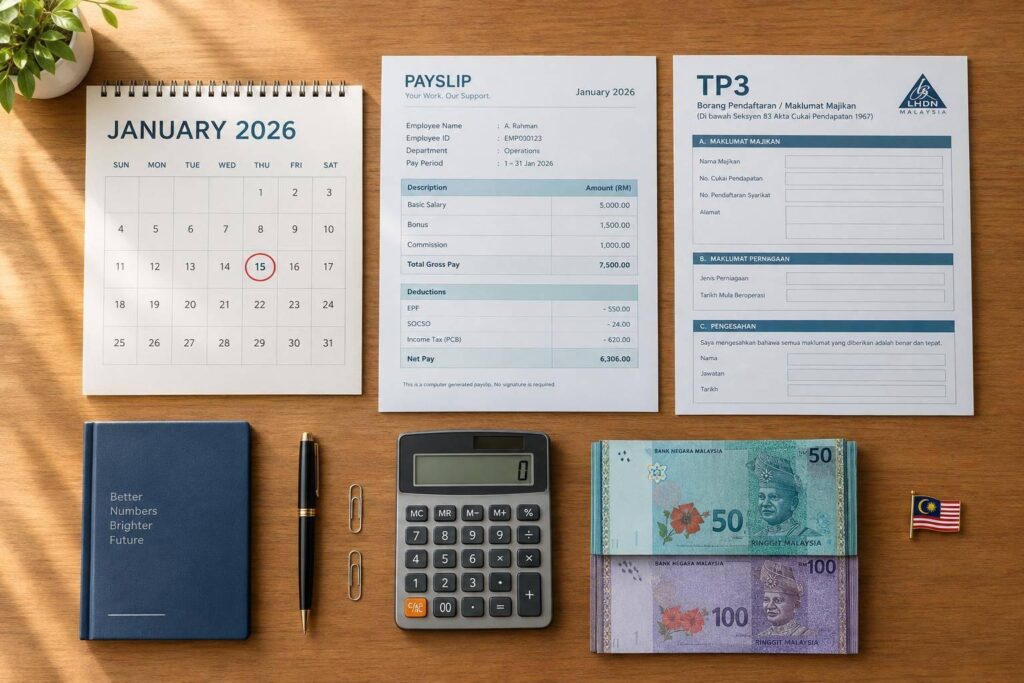

PCB is not a separate tax on bonuses or commissions – and there’s no flat bonus tax rate. My starting point: classify the payment, calculate PCB using the 2026 HASiL rules, and remit it by the 15th of the following month.
Here’s what I check before approving payroll:
- Payment type: Monthly commissions usually fall under normal remuneration; bonuses and non-monthly commissions usually count as additional remuneration.
- Calculation: Use current pay, year-to-date figures, tax status and relevant deductions. Include TP3 details for employees with previous employment in the same year.
- Payment controls: Check tax-clearance requirements before releasing final payments, and review directors’ fees or delayed commissions separately.
- Records: Match payroll, payslips, submissions and payment proofs. Retain records for seven years from the applicable statutory starting point, and reconcile annual reporting. This ensures accuracy when managing tax return filing for the business.
The rule I keep in mind: <u>check the payment itself, not just its label</u>. That determines how I handle the PCB calculation, payment timing and supporting records.
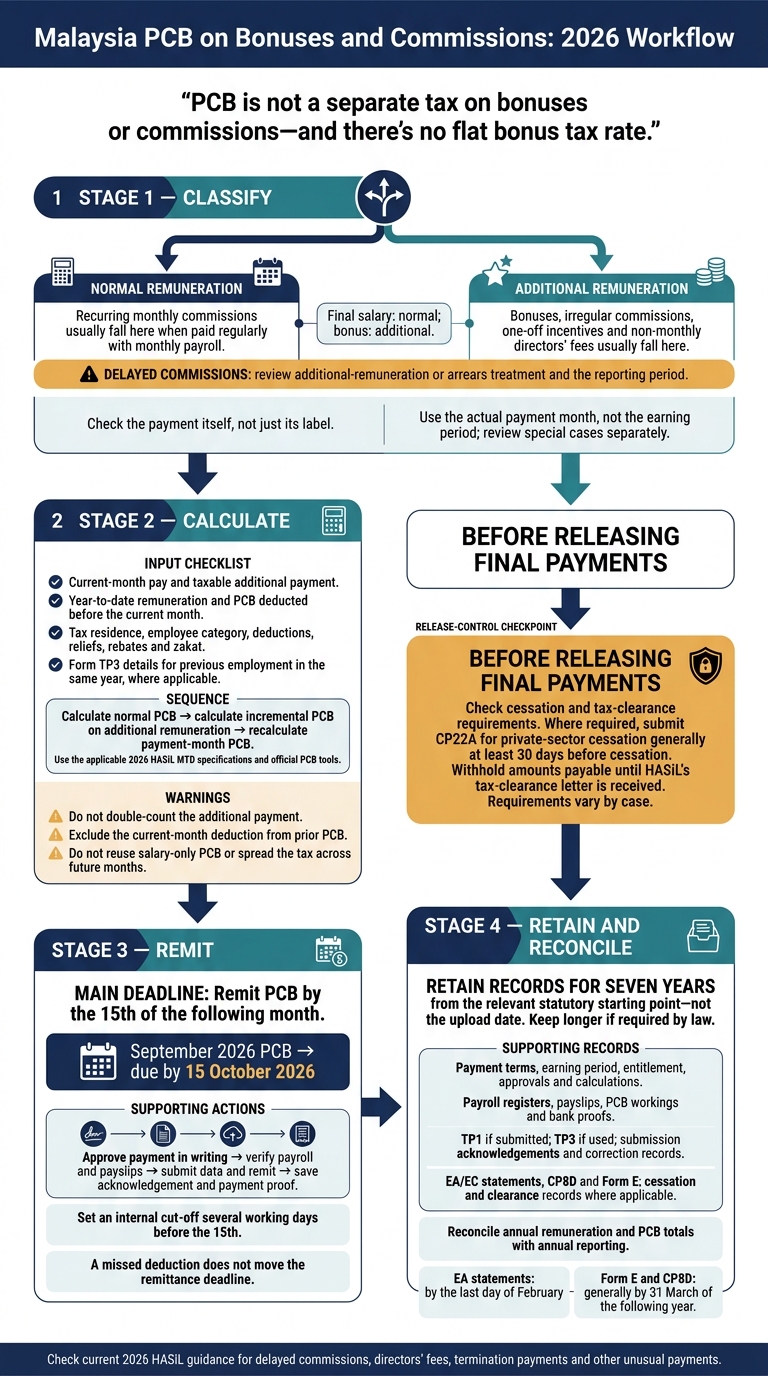
Malaysia PCB on Bonuses and Commissions: 2026 Workflow
How to Calculate PCB on Bonuses and Commissions
Once you’ve confirmed the payment type, calculate PCB using the 2026 MTD rules and the employee’s projected annual income. PCB is not a fixed percentage. It depends on tax residence, employee category, deductions, reliefs, rebates, zakat and PCB already deducted.
Refer to the applicable 2026 MTD calculation specifications and official PCB tools from HASiL. Before processing a bonus or non-monthly commission, check that your payroll system follows the 2026 rules or consider outsourcing your payroll to ensure compliance.
Calculate PCB on Additional Remuneration
Project annual income using current-month pay, the bonus or commission, and year-to-date figures. Then apply the relevant deductions, reliefs, rebates and PCB already deducted. For an employee who joined during the year, use Form TP3 to obtain prior remuneration, EPF, zakat and PCB data.
Calculate normal PCB first, then add the incremental PCB from the bonus or commission. Recalculate PCB for the payment month using the updated figures. Don’t reuse the salary-only PCB amount or spread the tax across future months.
Check Payroll Inputs Before Calculating PCB
Before calculating the final payroll figure, confirm the payment date, employment start date, tax residence status, commission pattern and whether the employer bears any tax.
| Input category | Salary-only payroll | Bonus or non-monthly commission payroll |
|---|---|---|
| Additional remuneration | RM0.00 | Taxable additional payment |
| Year-to-date remuneration | Amount paid before the current payroll | Check prior figures and enter the additional payment separately to avoid double-counting |
| Year-to-date PCB | PCB deducted before the current month | Use prior PCB; exclude the current-month deduction |
| Employee deductions and reliefs | Approved current information | Check for changes, including new TP3 data or employee declarations |
| Current-month PCB | Base PCB | Recalculate using the updated pay figures |
Before approving payroll, check the result against the HASiL specification or tool. Save the calculation output and reconcile the deduction with the payroll register and payslip, especially if TP3 data or employee declarations have changed. Keep payment approvals and reconciliation records, then remit PCB by the required deadline.
sbb-itb-ba278e7
PCB Treatment by Payment Type
Once payroll inputs are confirmed, classify each payout based on how and when it is paid.
Bonuses, Monthly Commissions and One-Off Incentives
Recurring monthly commissions paid with payroll are usually normal remuneration. Annual bonuses, irregular commissions and one-off incentives are usually additional remuneration, even when paid with salary.
For PCB, use the actual payment month, not the earning period. Keep the approved bonus or incentive calculation, eligibility list, earning period, approval date and payment date. These records should match the amount paid.
| Payment type | Classification | Relevant payroll month | PCB treatment | Supporting document |
|---|---|---|---|---|
| Bonus | Additional | Month paid or credited | Apply the additional-remuneration calculation | Approved bonus calculation, eligibility list and payment record |
| Recurring monthly sales commission | Usually normal, if paid regularly with monthly payroll | Each month paid | Include in normal monthly remuneration | Commission agreement, monthly sales report and approved calculation |
| Irregular commission | Generally additional | Month paid | Apply additional-remuneration treatment | Commission schedule, earning-period record and approval |
| One-off sales incentive | Generally additional | Month paid | Treat as additional remuneration | Campaign rules, approved incentive schedule and payment evidence |
| Bonus paid with final salary | Final salary normal; bonus additional | Month paid, subject to cessation checks | Calculate each component correctly and check tax-clearance requirements before release | Final payroll statement, bonus approval and cessation documents |
| Non-monthly directors’ fee | Additional | Month paid or credited | Apply additional-remuneration treatment | Board or shareholder resolution, fee calculation and payment evidence |
| Commission earned earlier but paid later | Usually additional or arrears | Month paid | Review arrears treatment and reporting period | Earning-period statement, entitlement and approval dates, payment record |
Apply HASiL’s rules for monthly, non-monthly and delayed payments.
Final Payments, Directors’ Fees and Delayed Commissions
Final payroll approval does not mean every amount can be released. Before payment, check the employee’s status, cessation date, final salary, leave payments, bonus entitlement and outstanding commission. Where required, submit CP22A for private-sector cessation generally at least 30 days before cessation. Withhold amounts payable until HASiL’s tax-clearance letter is received. Cessation rules vary by case.
For non-monthly directors’ fees, keep the board or shareholder resolution. Confirm the director’s appointment, status and payment or credit date.
For delayed commissions, record the earning period, entitlement date, approval date and payment date separately. Reconcile these details against the commission agreement and bank evidence. If the recipient has already left, check cessation and tax-clearance obligations before releasing payment. Don’t rely only on an internal payroll date.
After classification, move to approval, reconciliation and the monthly PCB deadline.
PCB Deadlines and Monthly Checks
Once the payment type is confirmed, employers must deduct PCB for the relevant remuneration month and remit it to HASiL by the 15th of the following month. The deadline still applies if the deduction was missed.
Deadline illustration – September 2026 PCB: due by 15 October 2026. Include PCB on bonuses and commissions paid in September in that month’s submission and remittance. Reviewing the payroll later does not move the deadline.
Approve, Recalculate and Reconcile Payroll
Before the 15th, approve the payment in writing and record it against the correct employee and remuneration month. Recalculate PCB using the approved method, then issue payslips, submit the data and remit payment. Save the acknowledgement and proof of payment.
Check employee names, identification details, tax numbers and tax status. Set an internal cut-off several working days before the 15th, and have a second person review the records where possible.
Reconcile the approved payroll, payroll register and bank file. Match gross pay, PCB, EPF, SOCSO, EIS and net pay against the relevant submission and payment records. Investigate rejected entries or payment differences immediately.
For commissions approved late or corrected later, confirm the correct remuneration month before amending payroll, submissions or payments. Keep a record of each correction.
Payroll Support for Bonuses and Commissions
For SMEs that need payroll help, LBCO provides payroll processing and compliance support for regular payroll and irregular payments, including bonuses and commissions.
Prepare updated employee details, year-to-date payroll records and approved bonus or commission schedules. Flag new hires and leavers, tax-status changes and employees receiving multiple payments in the same month.
PCB Records and Final Checklist
Payroll and Tax Records to Keep
After payroll is approved and remitted, file the documents showing how each bonus or commission was classified, taxed and reported. Check that they match the payroll register, payslip, submission and bank proof.
Keep each payment’s entitlement, approval, calculation and reporting together. Include employment terms, bonus or commission rules, approval emails, board minutes, payroll registers, payslips, bank proofs and PCB workings.
Retain TP1, if submitted, for deduction or rebate claims. Keep TP3, if used, for a new employee’s payroll details from previous employment within the same year. Also keep submission acknowledgements, payment proofs, correction records, Form EA, Form E, and Form CP8D statements. For employees who leave, include termination calculations, any tax-clearance letters or correspondence, and withholding records.
Before annual filing, reconcile annual remuneration – including bonuses and commissions – and PCB totals with EA/EC statements, CP8D and Form E. Keep proof that EA statements were delivered by the last day of February. Form E and CP8D are generally due by 31 March of the following year.
Retain records for seven years from the relevant statutory starting point, not the upload date. Keep them longer if required by law.
Once the records are filed, run these checks before closing the cycle.
Conclusion: 4 PCB Compliance Checks
For each bonus or commission cycle, confirm these four controls:
- Classify the payment correctly as normal or additional remuneration.
- Calculate PCB using complete employee data and the additional-remuneration calculation where required.
- Remit PCB by the 15th of the following month.
- Retain supporting records for the applicable period.
For delayed commissions, directors’ fees, termination payments or other unusual payments, check the current 2026 HASiL guidance before processing. Confirm the PCB treatment and any separate tax-clearance requirements.
FAQs
Can I claim a refund if PCB on my bonus is too high?
Yes – if your total Monthly Tax Deductions (PCB/MTD) for the year exceed your final tax liability, you can get a refund. Your EA Form summarises your total remuneration and the PCB paid to LHDN on your behalf.
Use these details to file your annual personal tax return (Form BE) through MyTax. If your self-assessment shows that you paid more PCB than the tax due, the excess is refundable.
How is PCB calculated if I receive two bonuses in one month?
Both bonuses count as variable pay and form part of that month’s total gross remuneration for calculating your Monthly Tax Deduction (PCB). Your employer adds your basic salary, fixed allowances and both bonuses to work out the deduction for that payroll run. Each payment must be correctly labelled in payroll to ensure an accurate calculation.
What should I do if my employer misses PCB on my commission?
Notify your employer as soon as possible so they can correct the missed Monthly Tax Deduction (PCB) on your commission. PCB must be paid to LHDN, and any underpayment needs to be corrected so your annual tax filing is accurate.
If your EA Form has already been issued, your employer must issue an amended form and notify LHDN. Keep your records consistent to help avoid problems when filing your personal income tax.